 Canada
 United States
.svg.png) United Kingdom
United Kingdom Nigeria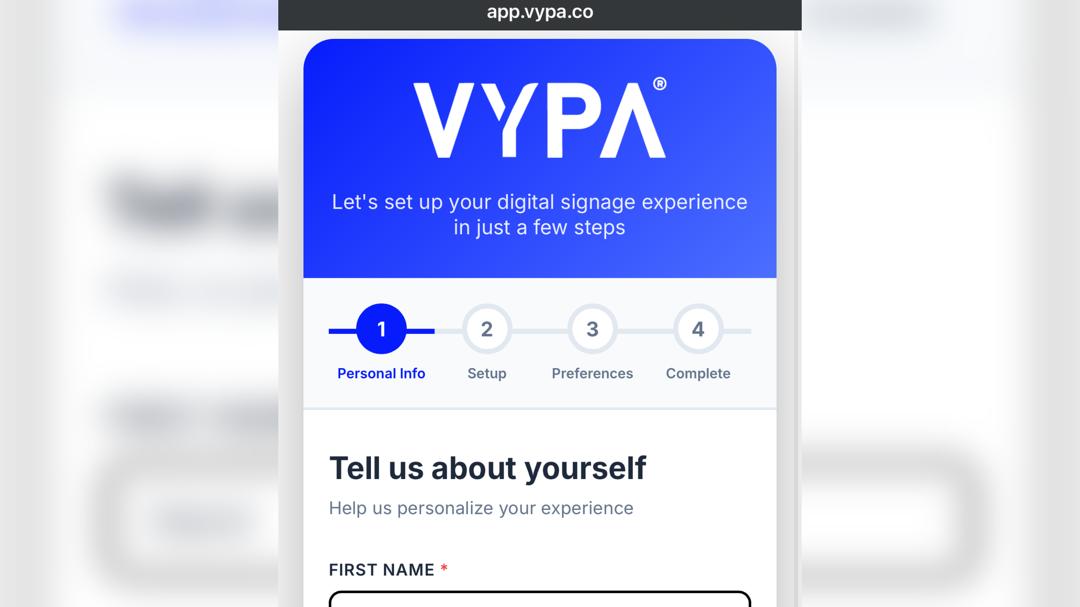
Ready to turn your screen into a smarter digital display? Getting started with VYPA Signage is simple.
Whether you’re setting up your first screen or planning to manage multiple displays, the first step is creating your VYPA account.
In this guide, we’ll walk you through the sign-up process step by step, from opening the VYPA website to completing your personal information.
We’ve included images for each stage to make the process even easier to follow.
Step 1: Visit VYPA
Open your preferred web browser and enter:
vypa.co to visit VYPA.
Once the VYPA website loads, you’re ready to begin.

Step 2: Click “Get Started or login’’
On the VYPA homepage, look towards the top-right corner of the page.
You’ll see the “Get Started or login” button.
Click it to begin creating your account.
Step 3: Select "Create an Account"
After clicking Get Started, you’ll be taken to the account access page.
Select “Create an Account” to begin the registration process.
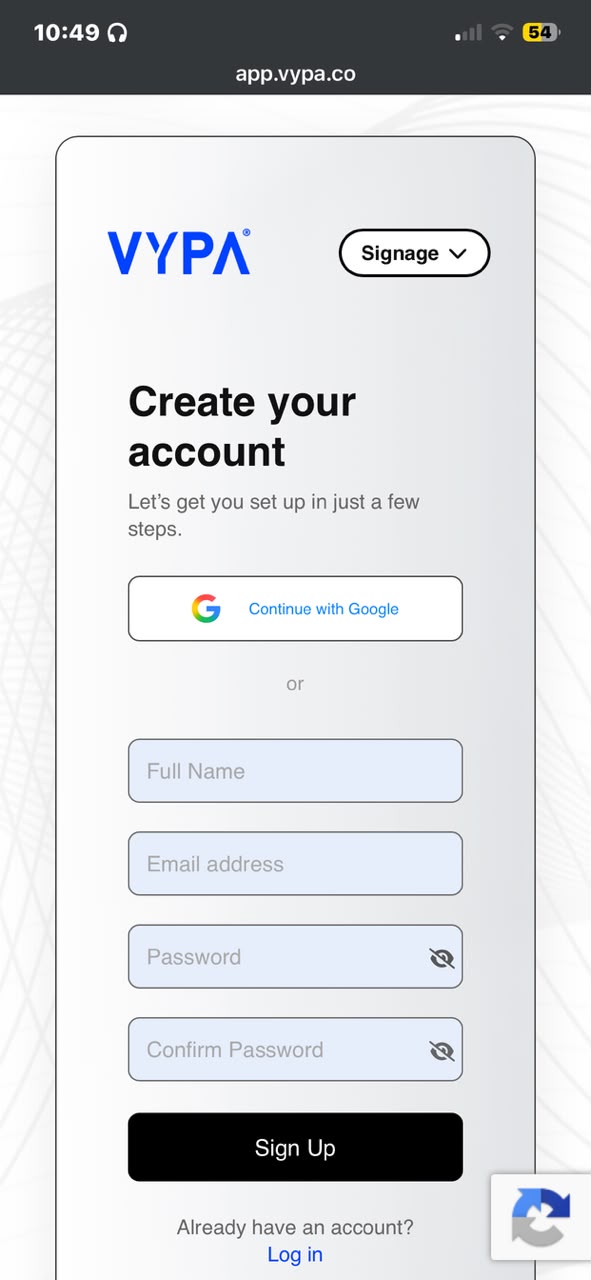
Step 4: Go to "Sign Up"
Next, select “Sign Up.”
You’ll be taken to the registration page where you’ll need to provide some basic information.
Step 5: Enter Your Details
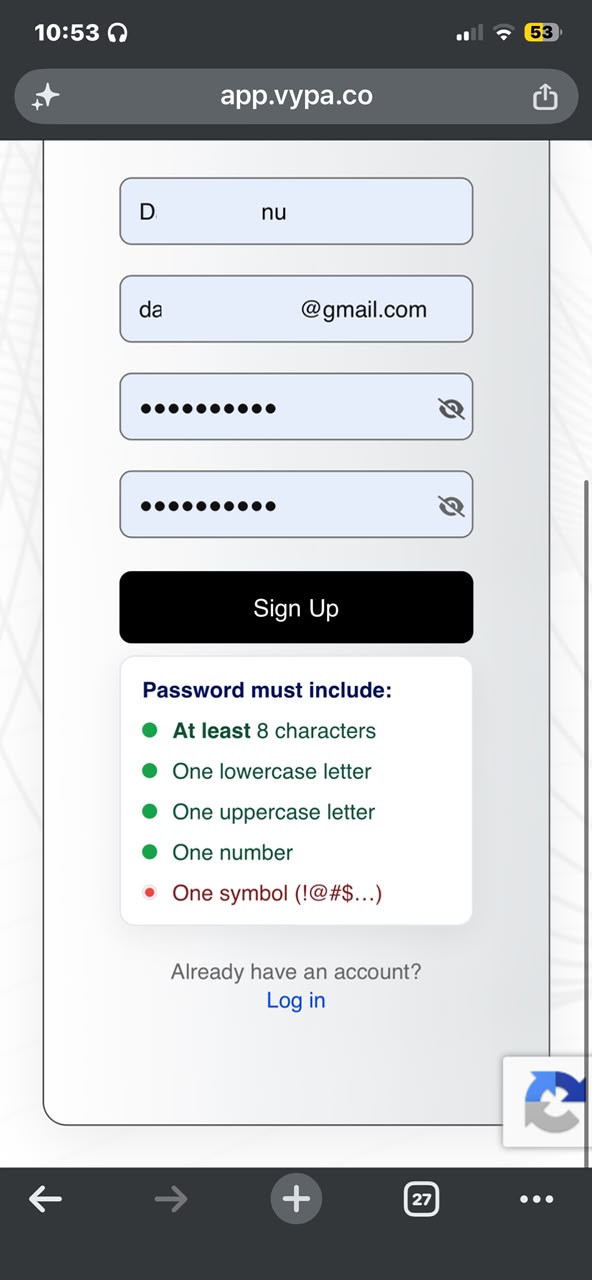
On the Sign Up page, you’ll see fields where you need to enter your information.
Fill in:
Make sure the email address you enter is one you can access because you’ll need it for the next step.
Once you’ve entered your details and checked that everything is correct, you’re ready to submit your registration.
Step 6: Click “Sign Up”
Once you’ve filled in the required information, click the “Sign Up” button.
Your registration will be submitted, and VYPA will send a verification email to the email address you provided.
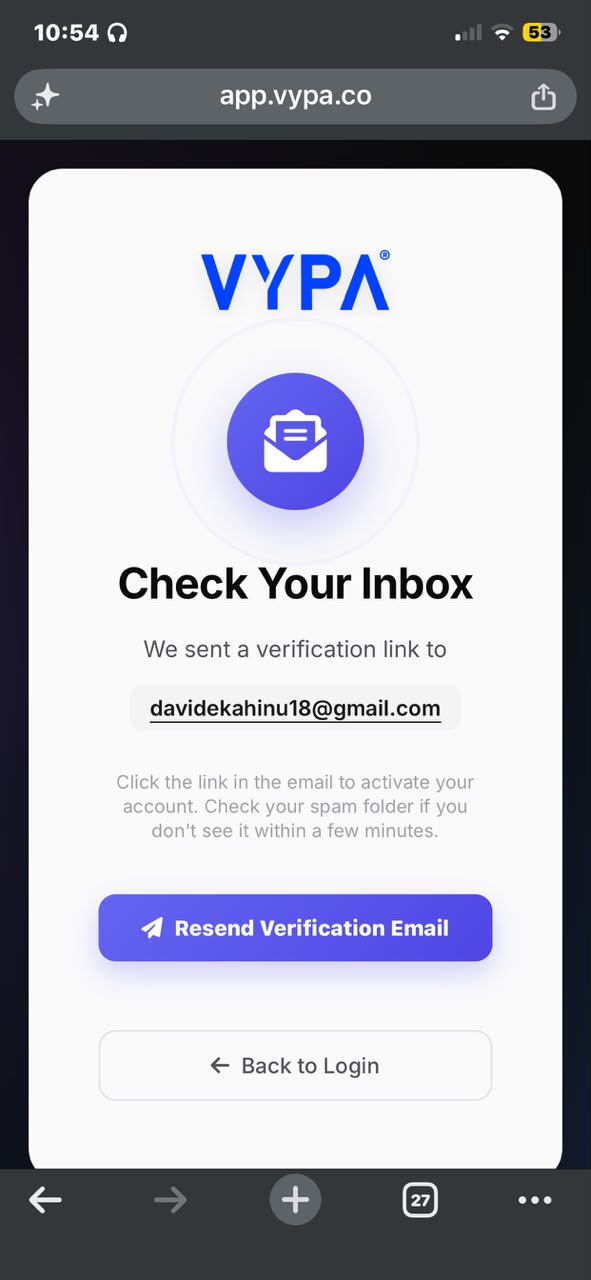
Step 7: Check Your Inbox and Verify Your Email
Now, head over to the inbox of the email address you used to create your VYPA account.
Look for the VYPA verification email and follow the instructions inside to verify your account.
Don’t skip this step. Your email needs to be verified before you proceed to log in.
Step 8: Go Back to Login
After successfully verifying your email, return to the VYPA website.
Click “Go Back to Login.”
You’ll now move from the Sign Up stage to the Sign In stage.
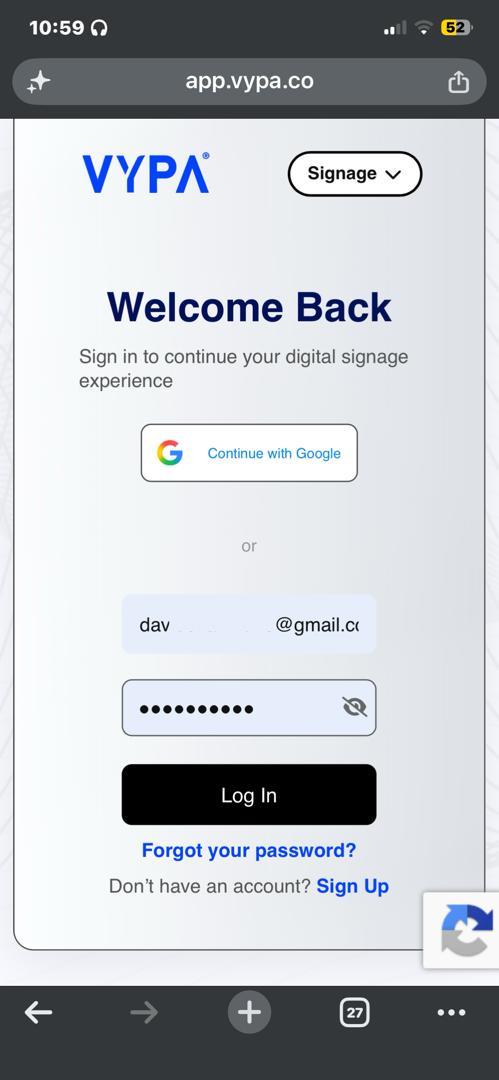
Step 9: Enter Your Email and Password
Now it’s time to sign in.
Enter the same email address and password you used when creating your account.
Then click Login/Sign In to access your VYPA account.
Step 10: Tell Us About Yourself
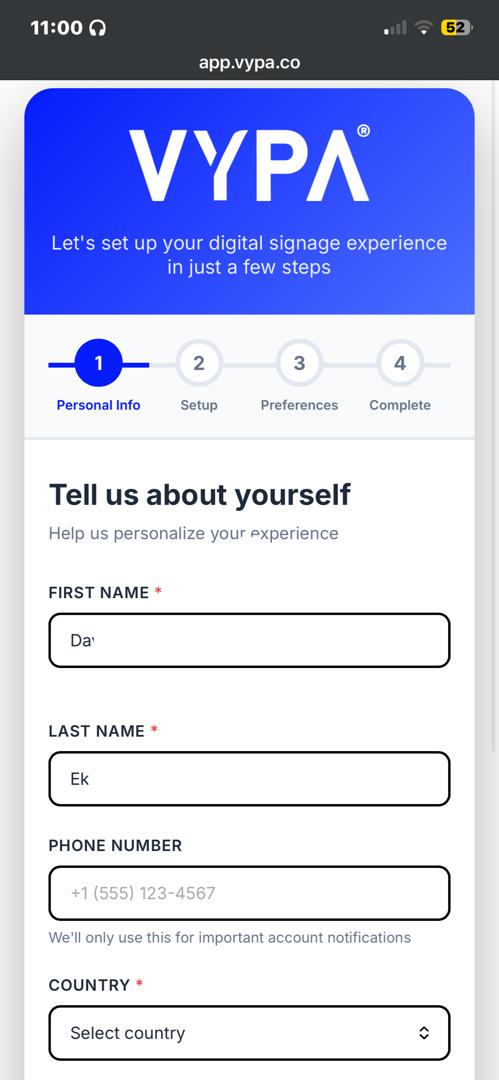
Once you successfully log in, you’ll be taken to the “Tell us about yourself” page.
This is where VYPA asks for some additional information to complete your profile.
You may be required to provide details such as:
Fill in the required fields carefully and make sure the information provided is accurate.
And You’re In!
That’s the beginning of your VYPA journey.
From creating your account to completing your profile, these steps get you through the initial registration process and ready to explore what VYPA Signage has to offer.
And this is only the beginning.
With VYPA Signage, you can manage your screens, organize playlists, schedule content and take control of what your audience sees.
Your screen doesn’t have to be just a screen.
Put it to work with VYPA.
VYPA — One software. Unlimited screens. More Visibility for You.