 Canada
 United States
.svg.png) United Kingdom
United Kingdom Nigeria
Announcements run long
Reading ten notices from the pulpit takes time away from worship, and people remember one or two. A screen repeats them all week without taking a minute of the service.
For churches and faith communities
Put this week's notices, service times, scripture and a giving QR code on the screens in your foyer and hall. Update them from your phone before Sunday, from CA$10 per screen per month.
A sample slide. Yours carries your own times, notices and colours.
Every church has more to say than the service has time for. The foyer is where people pause before and after, and it is the one place almost everyone walks through.
Reading ten notices from the pulpit takes time away from worship, and people remember one or two. A screen repeats them all week without taking a minute of the service.
Printed sheets cost money each week, go out of date by Wednesday and are often left behind. A screen shows the current version, and a late change never needs a reprint.
Visitors do not know which room the children go to or when the next newcomers' lunch is. A clear welcome screen answers those questions before they have to ask.
No installer and no contract. A church office can set up its first screen in an afternoon. The full walkthrough is on how VYPA works.
Sign up free. Your 30-day trial covers one screen, with no card needed.
Install the VYPA player on a Samsung Smart TV, Fire TV, Android or Google TV, a Raspberry Pi, or use the Web Player.
Upload images, video or PDF slides, or show a web page. Put them in a playlist.
Sunday content on Sunday, midweek groups on weekdays. Change it from anywhere.
What you can show
VYPA plays the files you already make. If your team designs slides in Canva, PowerPoint or Keynote, save them as images or a PDF and upload them.
Show the times for every service and language, and change them for holidays or special services in advance.
Small groups, prayer meetings, baptisms and volunteer calls, each on its own slide, in a loop.
A verse of the week, the sermon series, or the words to a new song, as image or PDF slides.
Add the QR code from your giving provider as an image, so people can give with a phone camera.
Set what plays by day and time. Pro adds advanced scheduling and event countdowns for conferences and camps.
The player stores your content, so the screen keeps playing if the building's Wi-Fi drops mid-service.
Start with one screen where people wait, then add more as you see what works. Each screen can play its own playlist.
The main welcome screen. Service times, this week's events, a newcomer welcome and the giving QR code. People read it on the way in and again on the way out.
When the sanctuary is full, a screen in the overflow room can show the order of service, the scripture reading and notices. It helps anyone who arrived late follow along.
Upcoming dinners, volunteer rotas, the food bank drive and photos from last month's outreach. This is where people sit and talk, so slides can be a little longer.
Which room each age group meets in, the week's memory verse, and a reminder of pickup procedures for parents.
A screen facing the street can show service times and a welcome to people passing by, even on weekdays when the doors are closed.
Three ideas to start with. Mix them in one playlist, or give each room its own.
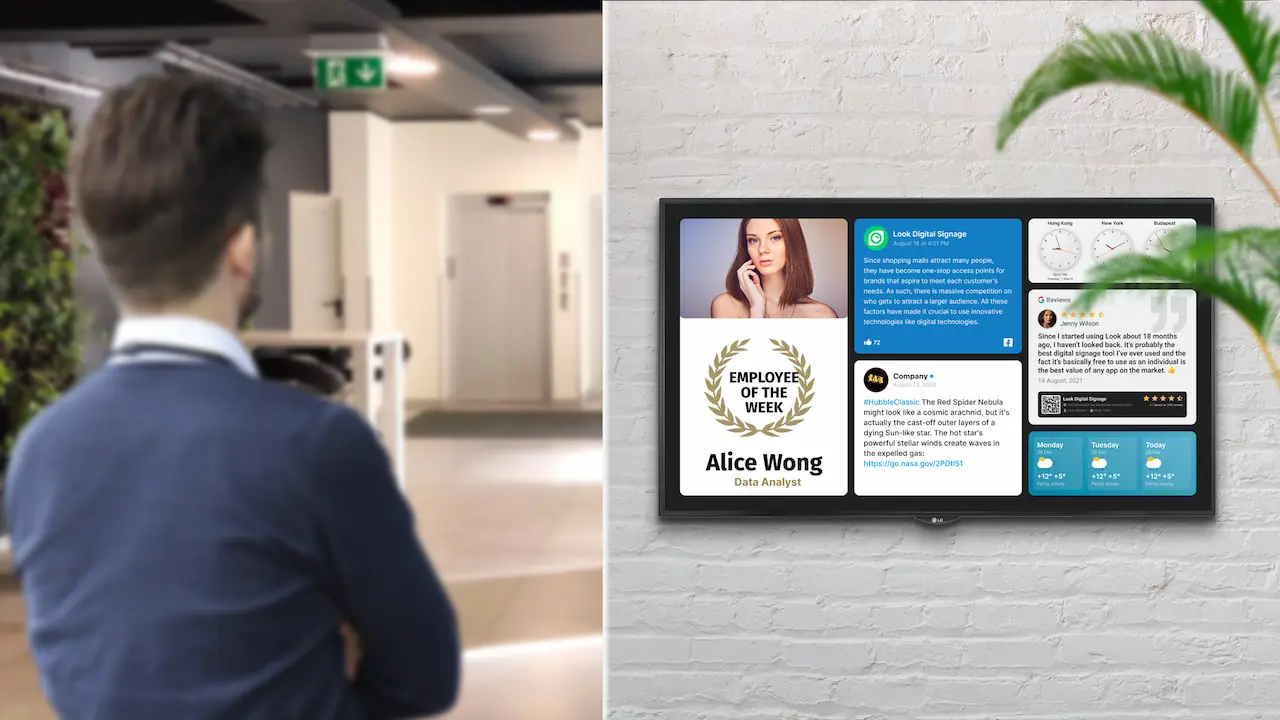
Welcome visitors, list the week's events and mark a member's milestone. It replaces the cork board nobody reads.
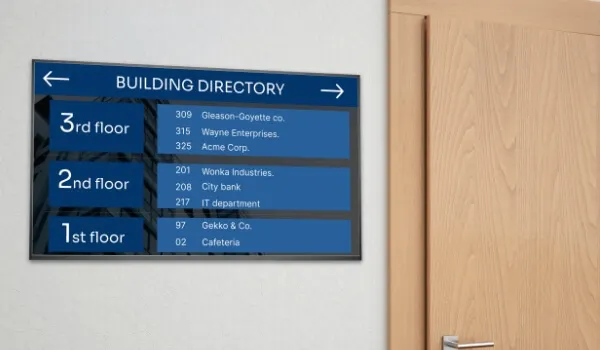
Show which room holds Sunday school, the youth group, the choir practice and the prayer meeting, so newcomers find their way without asking.
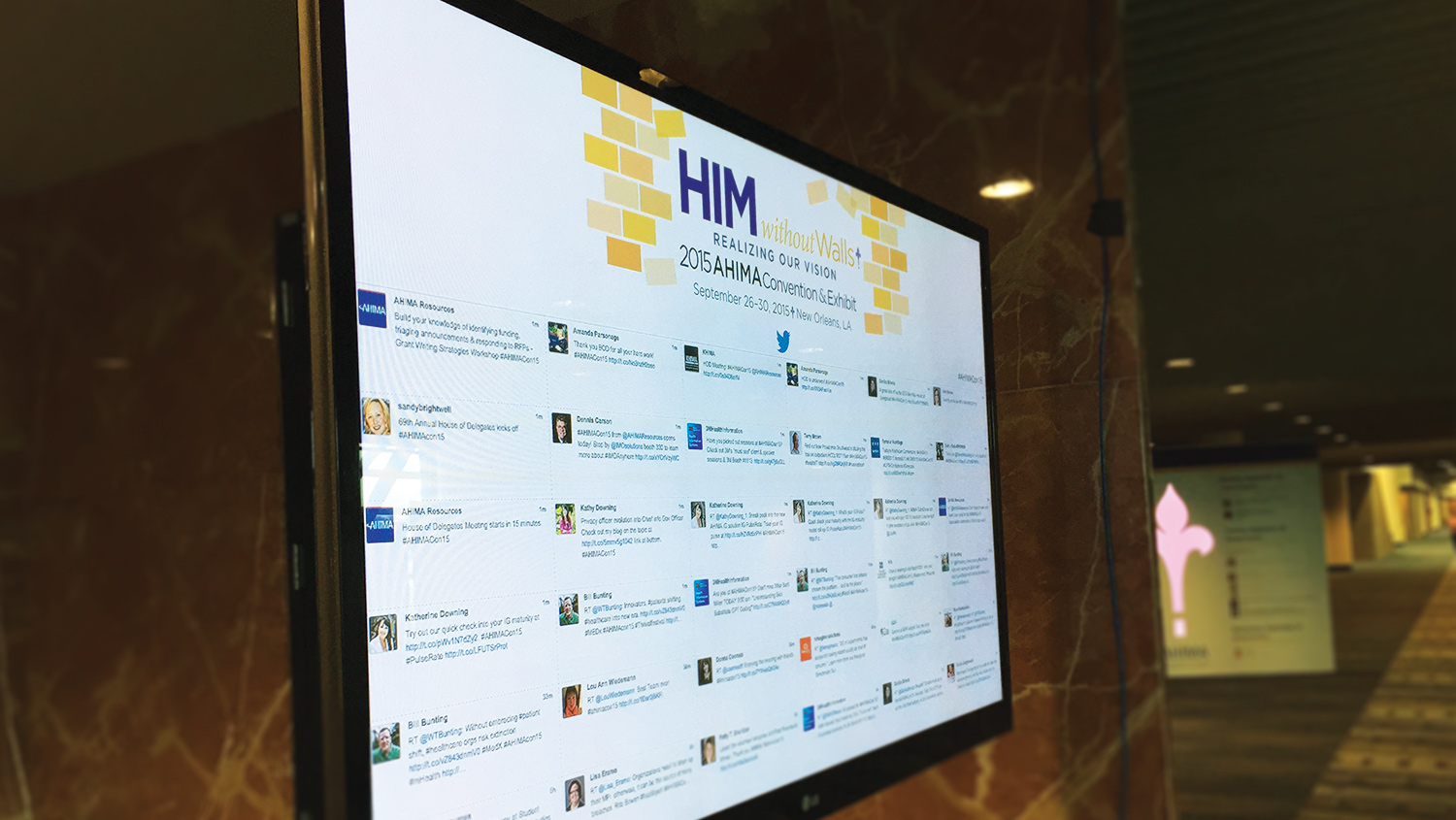
For a revival week, a convention or a women's conference, show the day's programme and a countdown to the next session on every screen at once.
Churches grow into more than one building, and the people who run the screens are often volunteers. VYPA is built for both.
Every screen, in every location, shows up in one dashboard. Send the same notice to all of them, or give each campus its own service times and events. Pro covers five screens at one flat rate. Enterprise adds unlimited screens and multi-location management for larger networks and denominations.
If someone can upload a photo to social media, they can update a VYPA screen. It works from a phone or a laptop. On Enterprise, team access with role-based permissions and a content approval workflow let volunteers prepare slides while a staff member signs them off.
A snowstorm moves the evening service, or a guest speaker is confirmed on Friday. Change the slide from your phone and it updates on every screen. Pro adds emergency content override, which pushes one urgent message to all screens at once.
VYPA serves churches across Ontario, from the GTA and Mississauga to Brampton and Ottawa, and in Nigeria, including Lagos and Asaba. Nigerian congregations are billed in naira. See pricing for both currencies.
Start on one screen. Add more at the same rate, or move to a plan as you grow. Prices are in Canadian dollars, with naira prices in brackets.
CA$10 / screen / month
One screen licence with playlists, scheduling, templates and layouts. (₦5,000 per screen per month.)
Start free trialCA$35 / month
Five screen licences at one flat rate, with advanced scheduling, event countdowns and emergency override. (₦18,000 per month.)
Choose ProCA$100 / month
Unlimited screens across campuses, with team access, approval workflow and an uptime SLA. (₦50,000 per month.)
Talk to usAdd the optional Faith pack for layouts built for service times, scripture verses and weekly announcements. It is CA$5 a month (₦3,000) for your whole account, however many screens you run.
No ads on your screens unless you choose. A VYPA Signage account plays only what you add. Advertising runs only on screens registered with VYPA Host, a separate programme you have to join. How hosting works
Most churches rely on a weekly bulletin and notices read from the front. Here is what changes with a screen. To see how VYPA stacks up against other signage software, visit compare VYPA.
| Task | Printed bulletin | VYPA |
|---|---|---|
| Fix a mistake | Reprint or read a correction | Change it from your phone |
| Midweek update | Waits for next Sunday | Changed any day of the week |
| Giving | A web address to type | A QR code to scan |
| Photos and video | Small and in print only | Full screen, with video |
| Several campuses | Print and deliver for each | One dashboard for all |
More answers about accounts, players and billing are in the VYPA FAQ.
VYPA Basic is CA$10 per screen per month, or ₦5,000 in Nigeria. Pro is CA$35 per month for five screens, and Enterprise is CA$100 per month for unlimited screens. The optional Faith pack is CA$5 a month (₦3,000) for your whole account. See pricing for everything each plan includes.
Yes. Every account starts with a 30-day free trial on one screen. You do not need a credit card to start.
No. A VYPA Signage account plays only the content you add. Advertising runs only on screens registered with VYPA Host, which is a separate programme you have to sign up for. If you never join, no ads appear.
Yes. Save your slides from Canva, PowerPoint or Keynote as images or a PDF, upload them and put them in a playlist. VYPA plays scheduled playlists, so it suits foyer, hall and overflow screens. For lyrics that follow the band line by line during worship, keep using your live presentation software.
Get the QR code from your online giving provider, or make one that points to your giving page. Save it as an image, add it to a slide, and put that slide in your playlist. People scan it with their phone camera.
Yes. Updates work from a phone or a laptop, with no design software needed. Enterprise adds team access with role-based permissions and a content approval workflow, so volunteers can prepare slides and a staff member approves them before they go live.
Yes. Every screen in every location appears in one dashboard. You can send the same slides to all of them or give each campus its own playlist. Pro covers five screens at a flat rate, and Enterprise covers unlimited screens with multi-location management.
A TV and one of the players VYPA runs on: the Samsung Smart TV app, Amazon Fire TV, Android or Google TV through Google Play, a Raspberry Pi 4 or 5, or the Web Player in a browser. LG, VIDAA (Hisense) and Roku are coming. The player setup guide walks through each one.
The screen keeps playing. The player stores your content and plays it offline, then picks up changes when it reconnects.
Yes. VYPA serves Nigeria, including Lagos and Asaba, and bills in naira. Basic is ₦5,000 per screen per month, and the Faith pack is ₦3,000 a month.
Start on one screen for 30 days, free. If it serves your congregation well, keep it for CA$10 a month.
No card needed. VYPA Technologies Inc., Alliston, Ontario.