 Canada
 United States
.svg.png) United Kingdom
United Kingdom Nigeria
The whiteboard is out of date
A class gets moved, a coach calls in sick, and the timetable by the door is wrong until someone finds a marker. Members ask the front desk instead.
For gyms and fitness studios
Put today's classes, the workout of the day and your latest offer on the TVs your members already look at. Update every screen from your phone, from CA$10 per screen per month, and let local advertisers help cover the cost.
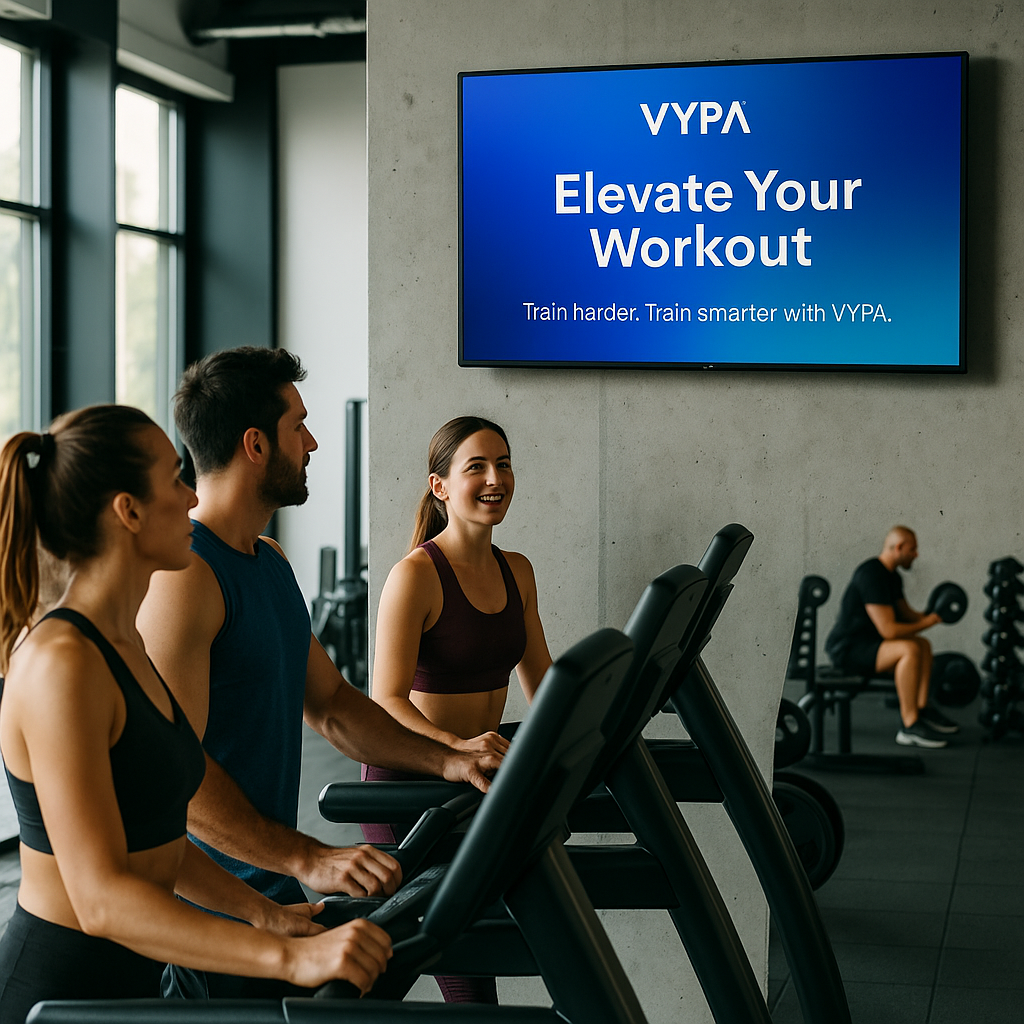
People spend an hour or more in your gym, several times a week. They rest between sets, walk on the treadmill and wait at the studio door. Most of that time, the screens on the wall show cable news or nothing at all.
A class gets moved, a coach calls in sick, and the timetable by the door is wrong until someone finds a marker. Members ask the front desk instead.
Personal training packages, referral deals and the new smoothie bar sit on a flyer at the counter. The people on the floor never see them.
You paid for the screens and the power they use. They could be selling your services and bringing in ad revenue from businesses nearby.
What to show
Start with the class schedule display, then add the rest to one playlist. Each item shows for as long as you set, then the loop moves on.
Show today's classes, times and coaches by the studio door and the front desk. Schedule a different timetable for each day, so Monday's list swaps to Tuesday's without anyone touching it.
Post the WOD, the movement standards and the time cap where the class can read them. Coaches upload an image or PDF in the morning and it is on screen in minutes.
Personal training packages, bring-a-friend weeks, merchandise and supplements at the counter. Short video clips catch the eye better than a poster.
A member of the month, a first pull-up, a finished race. A spotlight on screen builds the community that keeps people renewing. Ask members before you feature them.
Point new members to the studios, lockers and stretching area. Remind everyone to wipe down equipment and re-rack weights, without taping another sign to the wall.
Physiotherapists, meal prep services, sports shops and running clubs want to reach active people. Through VYPA Host they can book time on your screens, and you get paid.
Put a screen where people stop or slow down, at eye level or just above. Each spot suits different content.
Everyone passes here, members and walk-ins alike. Use it for today's classes, membership offers and anything you want a first-time visitor to know.
People on a treadmill or bike face the same wall for 20 minutes or more. It is the best spot for promotions, member wins and local ads, because they look at it for so long.
Show the workout of the day, a countdown to the next class and the week's timetable. A split layout can show the schedule and the WOD side by side.
Members sit down after a session. Show the drinks menu, supplement prices and upcoming events. Keep screens out of change rooms.
No installer and no contract. You can have your first screen live before the evening classes start.
Sign up free. Your 30-day trial covers one screen, with no card.
Samsung Smart TV, Fire TV, Google Play, Raspberry Pi or the Web Player.
Upload the timetable, photos, video or a PDF, or show a web page. Build a playlist.
Set what plays when. Change it from your phone or laptop, from anywhere.
What you get
The tools are simple enough for a front-desk team, and there are enough of them to run screens across several locations.
Drop in photos, clips and PDF timetables. Web pages work too.
Put items in order, set how long each one shows, and loop it.
Morning bootcamp promos at 6 a.m., the evening class list after work.
Split the screen: the timetable on one side, an offer on the other.
If the gym Wi-Fi drops, the screens keep playing what they have.
Change every screen from one dashboard, on any device.
VYPA Host
Members come back several times a week and stay for an hour. Local advertisers pay for exactly that kind of regular, repeat audience. VYPA Host sells the ad time on your screens and pays you for it.
There is no fee to become a host. You earn 70% of net ad revenue after processing fees, paid automatically every month or on request.
Every hosted screen has twelve slots. Eight are advertising slots that VYPA sells. Four stay yours for the timetable, your offers or anything else you like.
Advertisers choose screens on a map by location and venue type, so gym screens attract businesses that want active, local customers.
Screens pay their own way. Run your content with VYPA Signage, host ads with VYPA Host, and the ad revenue can cover the CA$10 a month. Occupancy is never guaranteed, so read it slot by slot. How hosting works
Start with the screen by the front desk. Add more at the same rate, or move to a plan when you cover the whole floor.
CA$10 / screen / month
One screen licence with playlists, scheduling, templates and layouts. Good for a studio with one TV.
Start free trialCA$35 / month
Five screen licences at one flat rate, with advanced scheduling by time and day. Fits most single-site gyms.
Choose ProCA$100 / month
Unlimited screens across locations, with team access and an uptime SLA. For gym chains and franchises.
Talk to salesFitness pack, CA$9 a month. An optional add-on with layouts for class timetables, member-of-the-month spotlights and promotions. One price for your whole account, however many screens you run. See all plans and packs
Most gyms run a whiteboard by the door and a TV tuned to a news channel. Here is what changes when the screens run VYPA.
| Task | Whiteboard and cable | VYPA |
|---|---|---|
| Change a class time | Rewrite it by hand | From your phone |
| Tomorrow's timetable | Wipe and rewrite | Scheduled ahead |
| Promote your own offers | Flyers at the desk | On every screen |
| Several screens or sites | One at a time | One dashboard |
| Earn from the screen | No | 70% of net ad revenue |
More answers on the VYPA FAQ
VYPA Basic is CA$10 per screen per month. Pro is CA$35 per month for five screens, and Enterprise is CA$100 per month for unlimited screens. The optional Fitness pack is CA$9 per month for your whole account. Every plan is listed on the pricing page.
Yes. Every account starts with a 30-day free trial on one screen. You do not need a credit card to start.
A TV and one of the players VYPA runs on: the Samsung Smart TV app, Amazon Fire TV, Android or Google TV through Google Play, a Raspberry Pi 4 or 5, or the Web Player in a browser. LG, VIDAA (Hisense) and Roku are coming. The player setup guide walks through each one.
Upload the timetable as an image or a PDF, or show a web page that already lists your classes. Then set a schedule so each day's timetable plays on that day. The Fitness pack adds timetable layouts built for this.
Yes. Layouts split the screen into zones, so the class schedule can stay on one side while offers, videos or the workout of the day play on the other.
The screen keeps playing. The player stores your content and plays it offline, then picks up changes when it reconnects.
Join VYPA Host. It is free to join. Local advertisers book time on your screens, and you earn 70% of net ad revenue after processing fees, paid automatically every month or on request.
No. Every hosted screen has twelve slots. Eight are advertising slots that VYPA sells, and four stay yours for your timetable, offers or anything else you want to show.
Yes. With VYPA Advertise you pick screens on a map, choose your dates and pay from CA$3 per day, or ₦500 per day in Nigeria. Ads are booked by the day, and you get proof that your ad played.
Yes. Every screen, at every location, is managed from one dashboard. Enterprise adds unlimited screens, multi-location management and team access with role-based permissions.
See how VYPA works end to end, or browse signage for other industries.
Start on one screen for 30 days, free. Put the timetable and your offers up, then add VYPA Host so the screen can earn back its CA$10 a month.
No card needed. VYPA Technologies Inc., Alliston, Ontario.