 Canada
 United States
.svg.png) United Kingdom
United Kingdom Nigeria
Reprints cost time and money
Food costs move, and so do your prices. On a screen, a new price is a quick edit from your phone. There is nothing to print, laminate or tape over.
For restaurants & cafés
VYPA is digital signage for restaurants and cafés. Put your menu, today's specials and your prices on the TV you already own, then change them from your phone in under a minute.
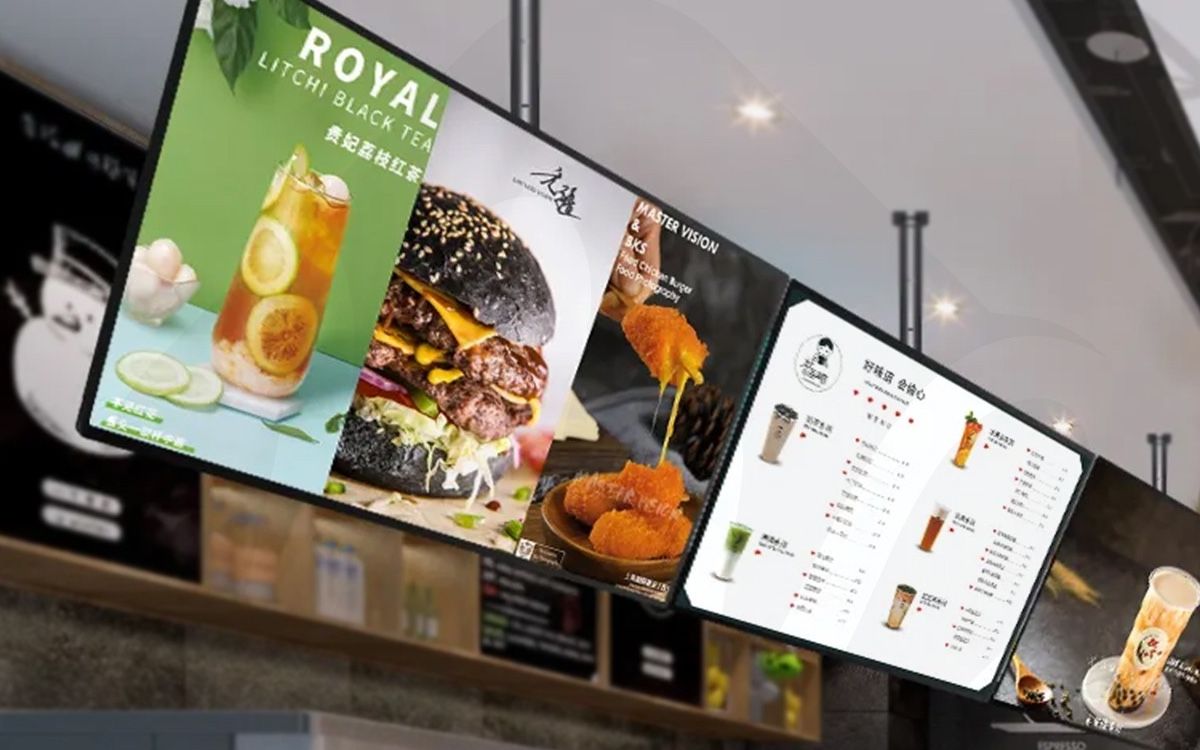
A printed menu board is right on the day it goes up. After that, every price change, sold-out dish and new special means another reprint, a sticker, or a staff member explaining what the board gets wrong.
Food costs move, and so do your prices. On a screen, a new price is a quick edit from your phone. There is nothing to print, laminate or tape over.
Nothing slows a lunch line like a customer ordering the dish you ran out of at noon. Take it off the screen as soon as the kitchen calls it.
A chalkboard by the door is easy to miss. A bright screen above the counter, with a photo of the dish, is where every customer is already looking while they decide.
Use cases
Start with one, then mix them into a single playlist. The same account runs one screen or a dozen.
Your full menu with prices, set out in a layout you pick. Use one screen per section, such as mains, sides and drinks, or fit everything on one. Upload a design as an image or a PDF, or build it from a template in the dashboard.
Set the breakfast menu to run until 11 and lunch to take over after that, with no one touching the screen. Weekend brunch and a late-night menu work the same way. You set it once and the schedule repeats.
Feature the dish of the day with a real photo. Run a happy-hour countdown that starts and stops on time. When something sells out, remove it from your phone and every screen updates.
Show the waitlist and a QR code customers scan to order, so the line keeps moving and the counter stays clear. These come in the Hospitality pack, an optional add-on for restaurants, bars and cafés.
Place each screen where people pause. A screen nobody stops in front of is decoration.
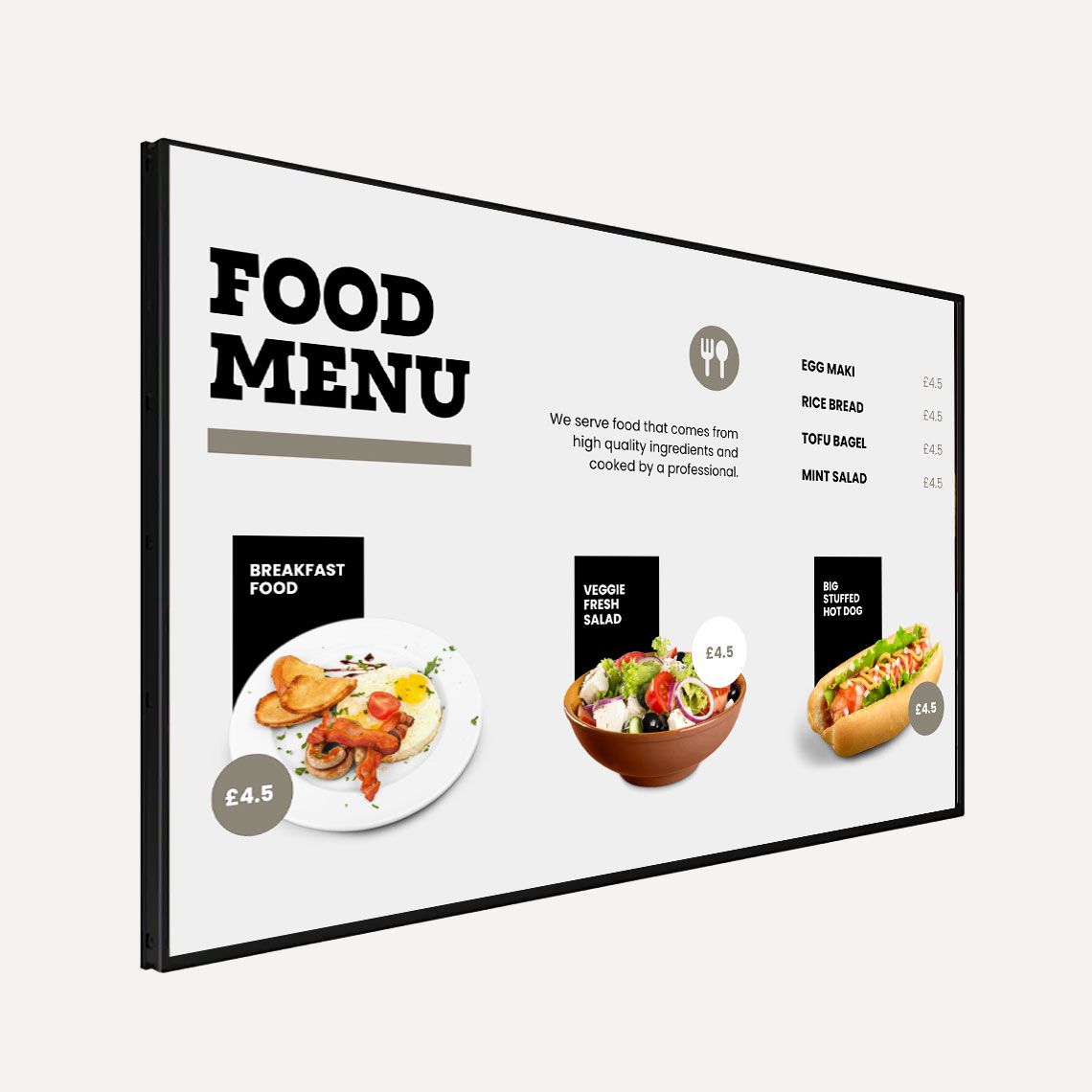
This is the one that matters most. Mount it at eye level from the back of the line, so customers can read it while they wait instead of at the till. Keep the text large and the prices clear. A menu that takes a minute to read slows everyone down.
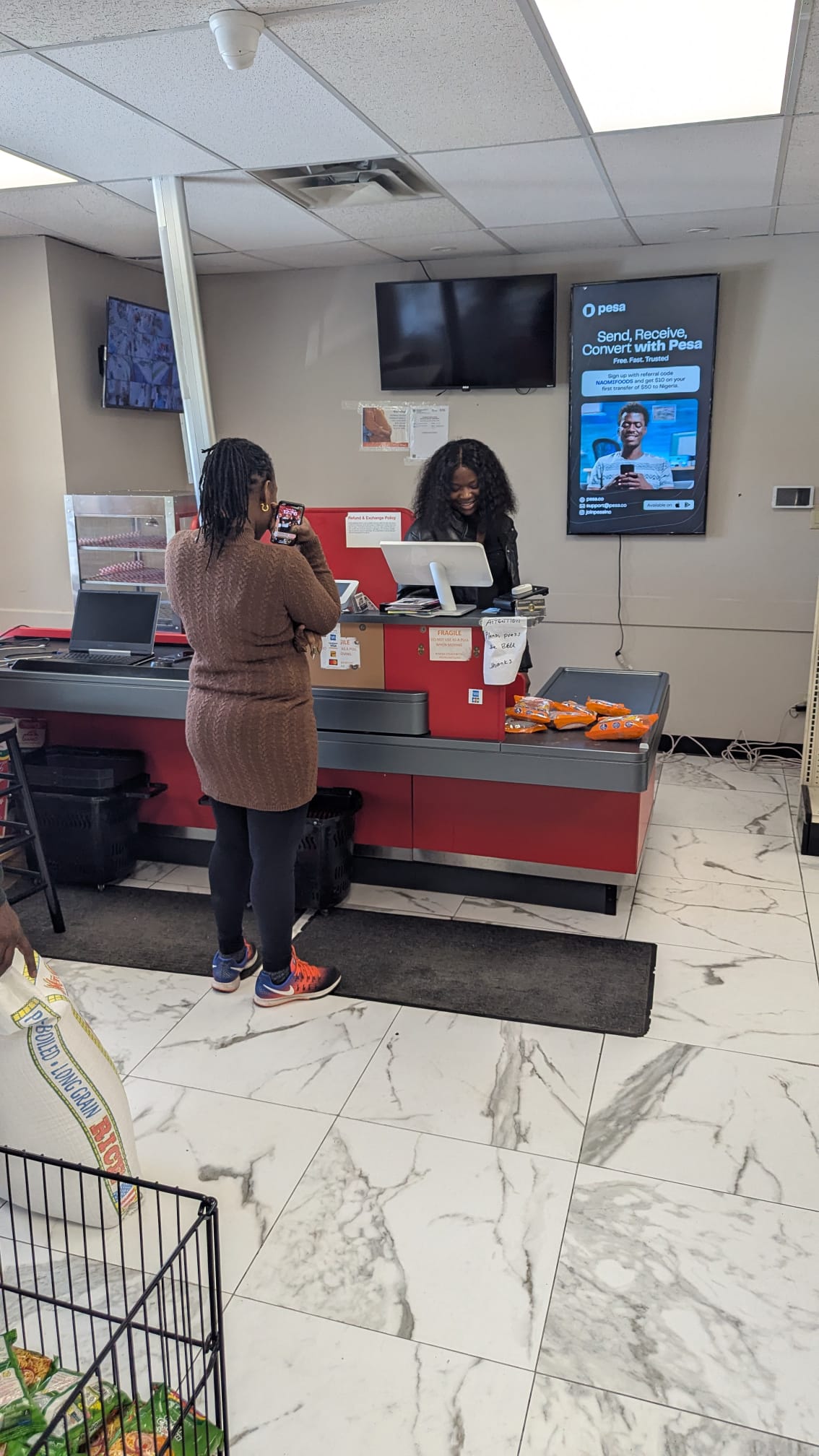
Customers stand here with a moment to spare. Use it for a combo deal, a loyalty offer, an order-ready message or a QR code for next time. A portrait screen fits a narrow wall beside the counter.
A screen facing the street shows passers-by today's special and your hours. It works best with short, bold text that reads from the sidewalk.
Diners look up between courses. Show desserts, drinks, upcoming events or catering, and let the screen carry ads from local businesses if you host.
For sit-down restaurants, a screen by the host stand can show the waitlist, a welcome message and the evening's specials while guests wait for a table.
No installer and no contract. The full walkthrough is on how VYPA works.
Sign up free. Your 30-day trial covers one screen, with no card needed.
Samsung Smart TV, Fire TV, Google Play, Raspberry Pi or the Web Player.
Upload images, video or a PDF menu, or pick a template. Build a playlist.
Set what plays when. Change prices from your phone or laptop, anywhere.
Sample layout
Layouts split a screen into zones that each play their own content. This is a common starting point for a counter menu board.
Menu. The largest zone, with items and prices. Change a price here and nothing else moves.
Today's special. A photo and a price that swaps on a schedule: a breakfast deal in the morning, a combo at lunch.
Order or promo. A QR code to order ahead, your Instagram, or a short video loop.
What you get
Food photos, short clips and PDF menus. Web pages and social widgets work too.
Put items in order, set how long each one shows, and loop it all day.
Breakfast until 11, lunch after, happy hour from 4. Set it once and it repeats.
Start from a template and split the screen into menu, special and promo zones.
If the Wi-Fi drops mid-service, the menu stays on screen.
Change every screen from one dashboard, on your phone or laptop.
Prices in Canadian dollars, before tax. Every account starts with a 30-day free trial on one screen.
CA$10 / screen / month
One screen licence with playlists, basic scheduling, templates and layouts. Add more screens at the same rate: three menu boards on Basic are CA$30 a month.
Start free trialCA$35 / month
Five screen licences at one flat rate, with advanced scheduling by time and day. Five screens on Pro cost less than five on Basic.
Choose ProCA$100 / month
Unlimited screens across locations, with team access, POS integration via REST API and an uptime SLA. Built for groups and chains.
Talk to salesThe Hospitality pack adds digital menus, daily specials, dayparting, happy-hour countdowns, waitlist and QR ordering for CA$29 a month per account, however many screens you run. Need a player? The VYPA Android Stick is CA$49.99 and the Android Box is CA$69.99. Yearly billing gives you two months free. In Nigeria, plans are ₦5,000, ₦18,000 and ₦50,000. See full pricing
Your menu screen can earn too. Hosting ads is free to join, and you keep 70% of net ad revenue after processing fees. How it works for restaurants
VYPA Host
Restaurants and cafés are good places for local advertising. Diners sit for a while, and they look up while they wait. VYPA Host lets local businesses book time on your screen and pays you for it.
Every hosted screen has twelve slots in its rotation. Eight are advertising slots that VYPA sells. Four are yours for your menu, specials and opening hours, so a third of the screen always stays yours.
Hosting is free to join. You earn 70% of net ad revenue after processing fees, paid automatically every month or on request. Bookings are never guaranteed, so treat any figure as a ceiling rather than a promise.
Advertisers book by the day from CA$3, pick screens on a map, and get proof their ad played. That is why a neighbourhood café can carry ads from the gym, salon or real estate agent down the street.
You can run VYPA Signage and VYPA Host on the same screen. Signage runs your menu. Host fills the ad slots and pays you for them.
Most restaurants start with a printed board, a chalkboard or a USB stick in the TV. Here is what changes.
| Task | Printed board | VYPA |
|---|---|---|
| Change a price | Reprint or sticker | From your phone |
| Breakfast to lunch | Two boards, or none | Switches on a schedule |
| Item sold out | Staff tell each customer | Removed in seconds |
| Food photos and video | Static print | Photos, video and loops |
| Several locations | Print and ship each one | One dashboard |
| Earn from the screen | No | 70% of net ad revenue |
Comparing software instead? See how VYPA stacks up against other platforms on the compare page.
Canada and Nigeria
VYPA Technologies Inc. is based in Alliston, Ontario. We work with restaurants and cafés across Toronto, the GTA, Mississauga, Brampton and Ottawa, and our screens are live in local businesses in Mississauga and Brampton today. Canadian accounts pay in Canadian dollars.
In Nigeria, accounts are billed in naira and restaurants use the same dashboard. Lajonic in Asaba and Anih's Kitchen in Ajah, Lagos, are two of the latest businesses to join the network. Read their story on the VYPA blog.
More answers on the VYPA FAQ.
VYPA Basic is CA$10 per screen per month. Pro is CA$35 per month for five screens, and Enterprise is CA$100 per month for unlimited screens. The optional Hospitality pack is CA$29 per month for your whole account. See pricing for everything each plan includes.
Yes. Every account starts with a 30-day free trial on one screen. You do not need a credit card to start.
A TV and one of the players VYPA runs on: the Samsung Smart TV app, Amazon Fire TV, Android or Google TV through Google Play, a Raspberry Pi 4 or 5, or the Web Player in a browser. LG, VIDAA (Hisense) and Roku are coming. If your TV has none of these, the VYPA Android Stick is CA$49.99. The player setup guide walks through each one.
Yes. Schedule each menu to play at set times and on set days, and the screen switches without anyone touching it. Dayparting comes with the Hospitality pack, and Pro includes advanced scheduling by time and day.
As fast as you can open the dashboard on your phone. Remove the item or swap the image, and every screen picks up the change.
Yes. PDF is the document type VYPA supports, alongside images, video and web pages. Upload your menu as a PDF or an image and add it to a playlist.
The screen keeps playing. The player stores your content and plays it offline, then picks up changes when it reconnects.
Yes, with the Hospitality pack. It adds a waitlist display and QR ordering, along with digital menus, daily specials, dayparting and happy-hour countdowns.
Yes. VYPA Host is free to join. Local advertisers book time on your screen, and you earn 70% of net ad revenue after processing fees, paid automatically every month or on request. Four of the twelve slots on each screen stay yours for your own menu and promotions.
Yes. VYPA serves restaurants across Ontario, including Toronto, the GTA, Mississauga, Brampton and Ottawa, and in Lagos and Asaba, Nigeria. Canadian accounts are billed in Canadian dollars and Nigerian accounts in naira.
Start on one screen for 30 days, free. If it earns its place above the counter, keep it for CA$10 a month.
No card needed. VYPA Technologies Inc., Alliston, Ontario.