 Canada
 United States
 United Kingdom
 Nigeria
Put your audience on the big screen
At your event or on your live stream, people scan a QR code, send a photo or a 15-second clip, and see it on your screen with their name and a burst of confetti. You approve every post before it plays. They pay per post, and you earn from each one.
For event organisers, venues and live streamers with a VYPΛ screen.
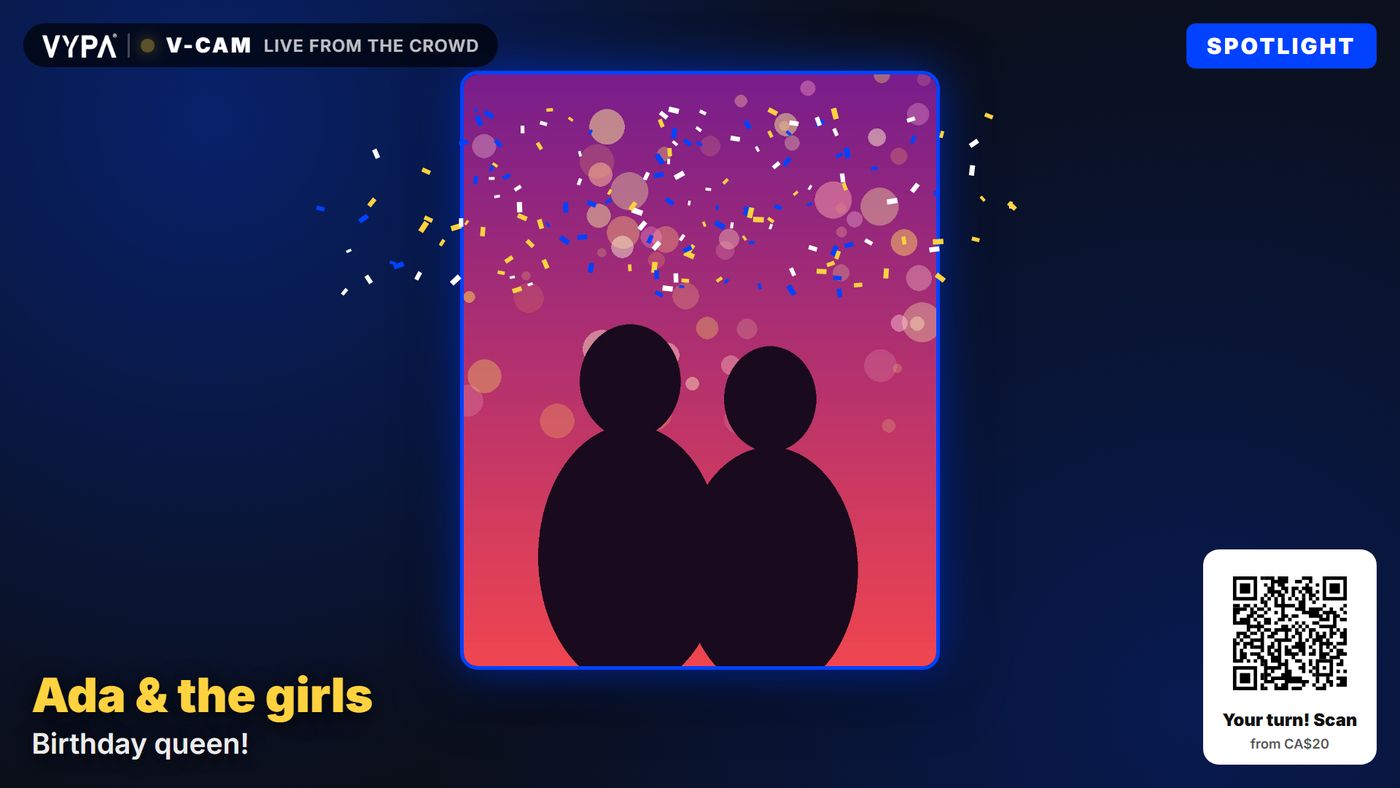
Two ways to use it
The same V-Cam, set up for the room or for the stream.
At a venue
Parties, concerts, weddings, lounges and halls. Guests in the room scan the QR code on your screens. V-Cam switches on at the start of the event, uses the slots you choose, and gives them back to your own content when the event ends.
On a live stream
Going live with a screen behind you? Viewers send in from anywhere. Your screen shows a short link they can type, because most of them are watching on the phone they would scan with, and you get the same link to paste in your chat and bio.
How it works
Four steps, from setting it up to seeing it on the screen.
You set it up
In VYPΛ Host, open Live Events. Pick your screens, the slots V-Cam may use, and the start and end times.
They send a post
A photo or a clip of up to 15 seconds, with a name and a caption. They choose how big a moment they want and pay by card.
You approve it
You, or anyone you invite, approve posts from a phone. No VYPΛ account needed. Nothing plays until someone says yes.
It plays
On every screen at the event, in your slots, as many times as they paid for. Then the next post takes its turn.
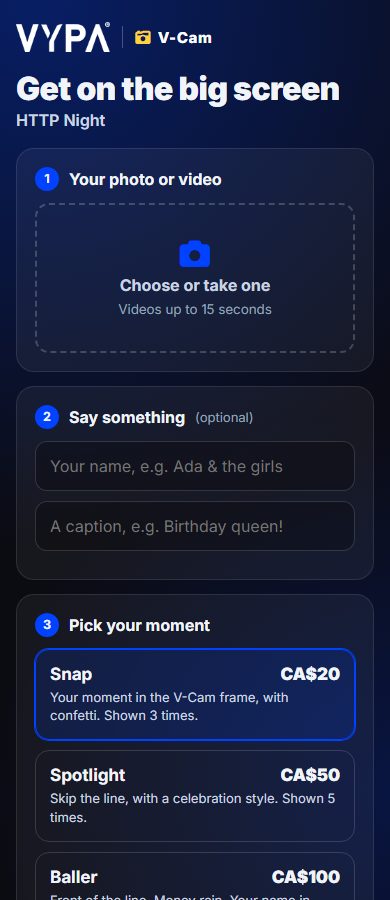
What a guest sees. No app and no account: scan, upload, pick a moment, pay.
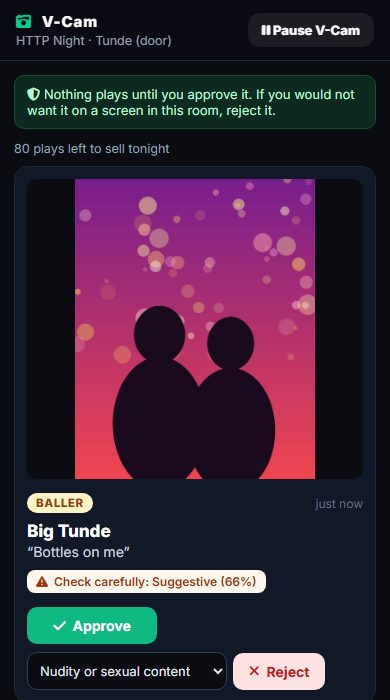
What your moderator sees. Each post with its automatic check result, and Approve or Reject.
What guests pay
Prices in Canada, tax included. A guest is charged only once their post has played. If it is not approved, or the event ends before it plays, the hold on their card is released.
Their moment in the V-Cam frame, with confetti.
Moves up the line, with a celebration style.
Front of the line, money rain, their name in lights.
You can charge more for your event, never less. V-Cam stops selling when the night is full, so nobody pays for a moment that cannot play.
What you earn
You keep 70% of every post’s price after tax, or 56% if you joined VYPΛ through one of our agents. It goes into your VYPΛ Host earnings with your other screen income and is paid out the same way.
Safe for your room
- A person approves every post. Nothing reaches your screen on its own.
- An automatic check runs first. Explicit content is blocked before your moderator ever sees it, and anything borderline is flagged.
- Pull anything at once, or pause V-Cam for the whole event.
- Sound off. Clips play muted, so they never fight your music.
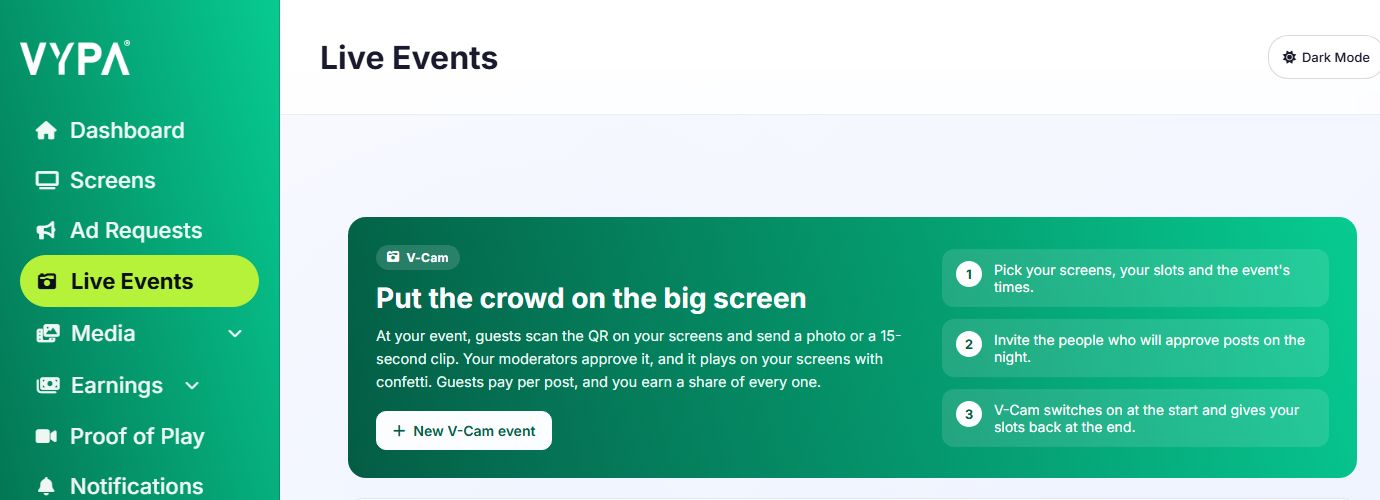
Run V-Cam at your next event
Set up an Event screen in VYPΛ Host and Live Events appears. Available in Canada now.